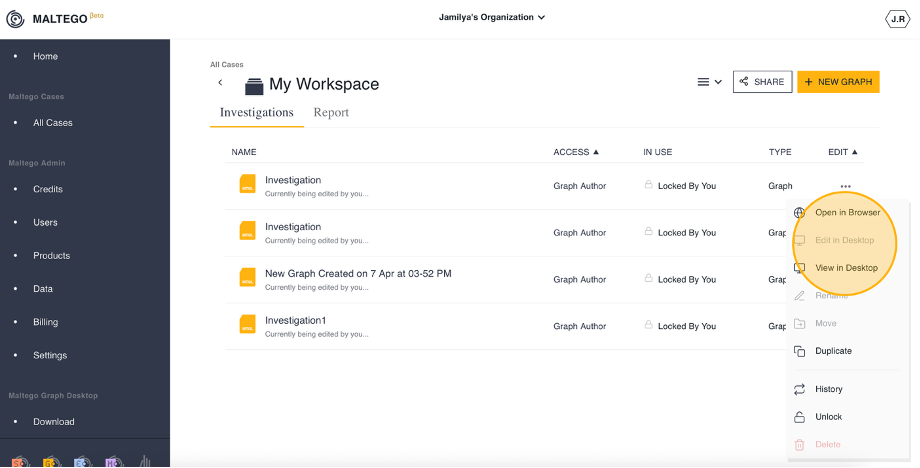
Users can open an existing graph using either Maltego Graph (Desktop) or Maltego Graph (Browser). Follow these steps to do so:
- Navigate to the case containing the desired graph.
- Click on the More options icon next to the graph.
- Select an Opening Method
- Open in Browser
- Edit in Desktop. Please note that the graph needs to be unlocked to be edited in Desktop.
- View in Desktop provides read-only access to the graph. If you make any changes, you must either save them locally on your drive or create a separate copy on the cloud. Changes will not be saved to the original graph file stored in the cloud.