Bookmarks in Maltego Graph (Browser) allow you to categorize Entities in your graph according to your investigative workflow. You can choose from five bookmark colors to organize your findings. For example:
- Use one color to mark Entities of interest that you plan to investigate further.
- Use another color to mark Entities you intend to delete.
The bookmark icon is located in the top-right corner of each Entity icon. To bookmark an Entity:
- Hover your mouse over the Entity.
- Click on the bookmark icon to access the color options.
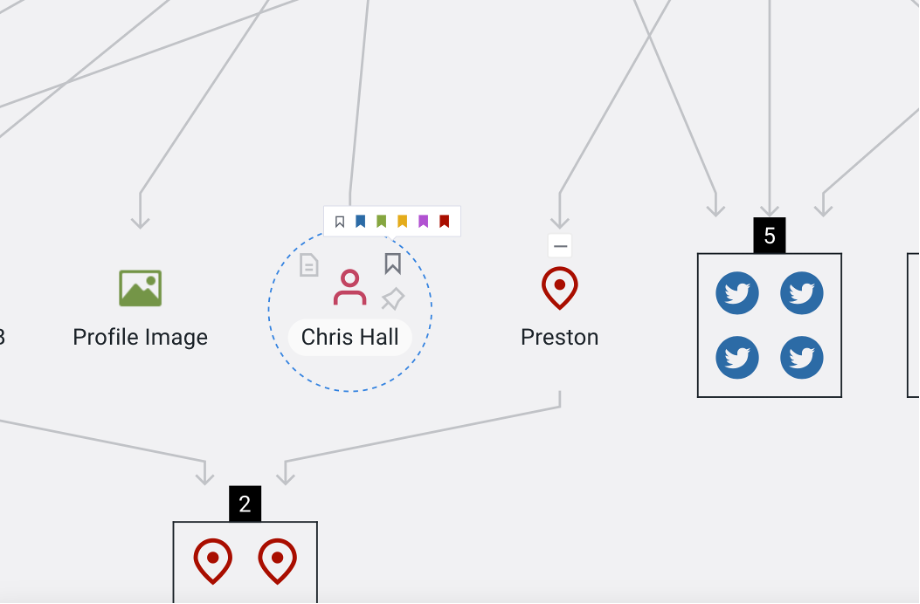
Alternatively, you can select an Entity and right-click to bring up the menu with an option to bookmark the Entity.
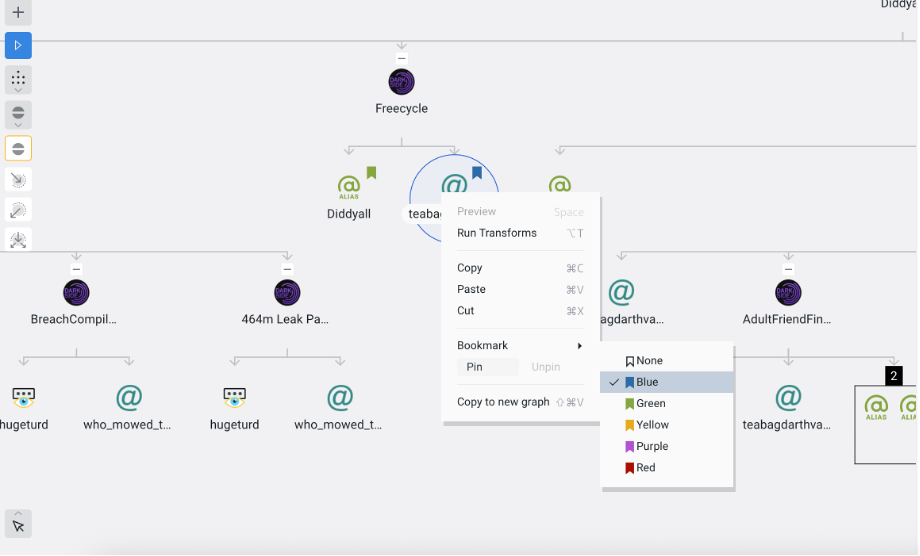
You can select all Entities with the same bookmark color to perform bulk actions, such as:
- Removing them from your graph.
- Running a Transform on all selected Entities.
For more details, refer to the Select Bookmarked section of this article.