Symptoms
You may be affected by a quota limit if:
- Existing cases are no longer collecting new messages.
- Searches and monitored sources appear healthy but no fresh content is being added.
- Collection suddenly stops across multiple cases.
- Your organization has recently received quota warning notifications. Monitor sends usage alerts as quota consumption increases.
Why This Happens
Monitor uses an organization-wide quota that limits how many messages can be collected during a billing period. All cases within the organization contribute to the same quota pool.
When quota usage exceeds the allowed threshold, the affected collection features are automatically suspended to prevent further consumption. Collection resumes when:
- The quota cycle resets, or
- Additional quota is assigned to the organization.
There may be a short delay before collection resumes after quota has been increased.
How to Verify Quota Usage
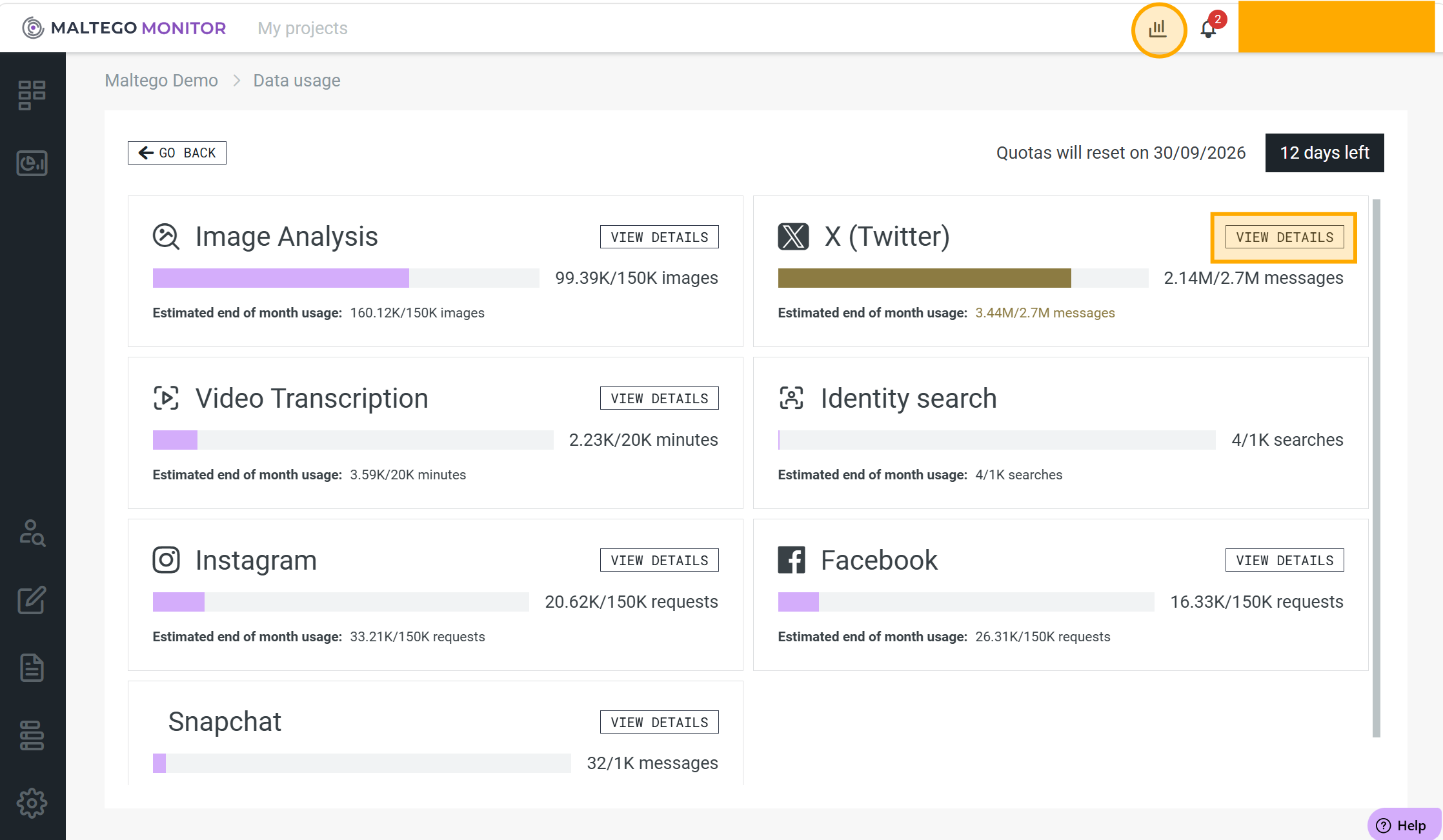
1. Check the Usage Dashboard
Review your organization's quota usage to determine whether the available allowance has been exhausted. The usage dashboard shows the percentage of quota already consumed.
2. Identify High-Consumption Cases
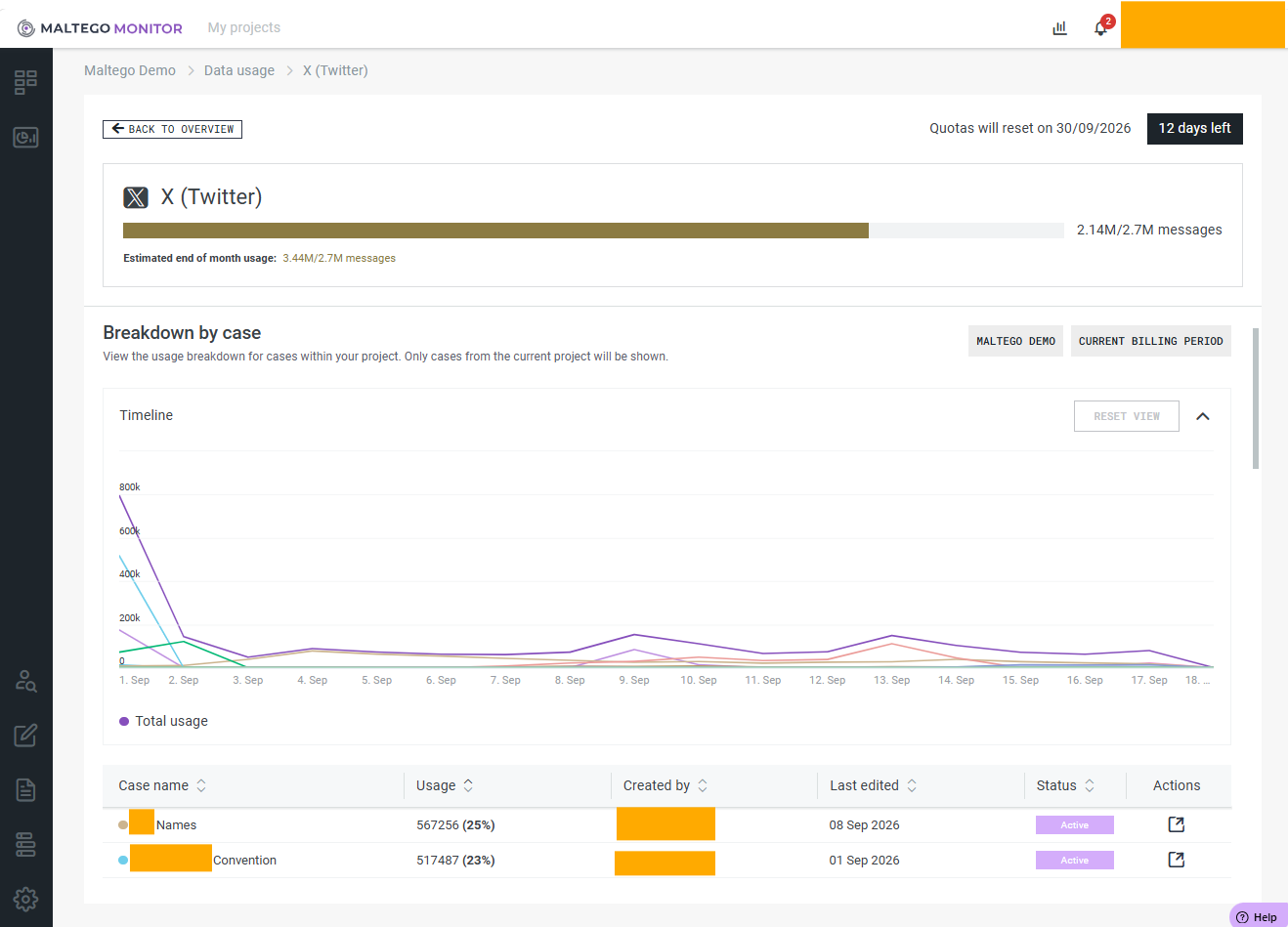
If the detailed usage view is available for your organization, you can review which cases contributed most to quota usage and identify unusually expensive searches or monitoring activities.
3. Review Recent Case Changes
Consider whether any of the following occurred recently:
- New monitoring cases were created.
- Large numbers of keywords, accounts, or sources were added.
- Very broad search terms were introduced.
Broad or highly active searches can consume large amounts of quota and may cause collection to pause sooner than expected.
Resolution
Option 1: Wait for the Next Quota Reset
Most Monitor quotas reset automatically according to the subscription cycle.
Option 2: Request Additional Quota
If collection must continue before the next reset, contact your administrator, account manager, or customer success representative to discuss additional quota allocation. Collection will resume once additional quota has been granted and processed.
Option 3: Optimize Future Usage
To reduce the likelihood of hitting quota limits again:
- Use specific keywords instead of very broad terms.
- Remove or disable sources that no longer provide valuable results.
- Periodically review which cases generate the highest volume of collected messages.
- Monitor quota usage regularly throughout the billing cycle.